………………………………………………………………………………..
Tips for a productive Telehealth Session
With the right steps and preparation, teletherapy sessions can be enjoyable and productive, even without an in-person meeting. If you are preparing for a telehealth therapy session, use these tips to maximize its benefits.
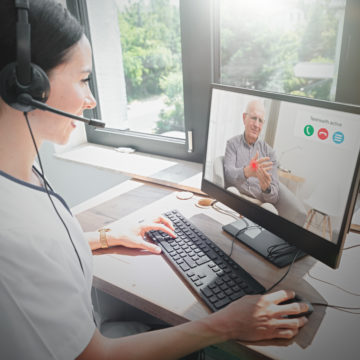
Telehealth with an Irmo Counseling Services clinician utilizes HIPAA-secure video conferencing platforms to allow our therapists and their clients to connect without having to meet in person. Telehealth mental health treatment has become instrumental in providing continuity of care during the coronavirus pandemic, and there are some useful things to keep in mind that will make your experience a good one.
Telehealth may feel intimidating to some who don’t have much experience using technology. It might also be an awkward or uncomfortable experience for people who are self-conscious or easily distracted. Privacy may also be a concern for those who want to participate in telehealth but worry about roommates or family members overhearing their sessions. All of these potential barriers to participating in telehealth treatment can be addressed and overcome with the following tips.

Prepare Your Space Before a Telehealth Therapy Session
Before attending a telehealth session with your therapist, here are some helpful tips to prepare:
- Make sure you are in a quiet space where you won’t be disturbed or heard. This may be in a bedroom, home office, basement, a large closet, or even in your parked car.
- If you live with others, ask that they don’t disturb you during your session time and that they refrain from using the Wi-Fi so that your connection is not slowed down. If you have children, gaming on line might slow your connection.
- Consider putting a white noise machine, small fan, or speaker with music playing outside of the door to the room you will be in so that roommates or family members cannot overhear your conversation.
- Make sure the device you are using (a computer, tablet, or smartphone) has a working camera and microphone and is fully charged.
- Consider using headphones or earbuds plugged into your device to improve sound quality and maintain privacy.
- When possible please use a wired internet connection as opposed to wireless.
- Have a plan in place in case your connection is lost. We usually drop back to Face Time or a phone session if needed.
- Our tech support department can usually talk you through a problem or even log in to your computer remotely (only with your permission) to correct problems if needed.
Maintain Communication With Your Therapist During a Session
Meeting with a counselor through virtual methods may feel difficult or uncomfortable at first. Keep these things in mind during your session:
- Speak clearly so that your therapist can understand what you are saying. Check in periodically to make sure that what you are communicating is being understood and that you clearly understand what is being communicated to you.
- Try to make “eye contact” with your camera so that the connection between you and your therapist is stronger.
- If you are self-conscious about your appearance or distracted by seeing yourself on your device’s screen, put a small piece of paper over your image on the screen.
- Treat your telehealth therapy session as if you are meeting with your therapist in person. Avoid engaging in any tasks you wouldn’t do if you and your therapist were meeting in their office, such as folding laundry, smoking, or cooking.
-